See the Difference
Drag the handle left or right to compare the default WoW interface with EzroUI.
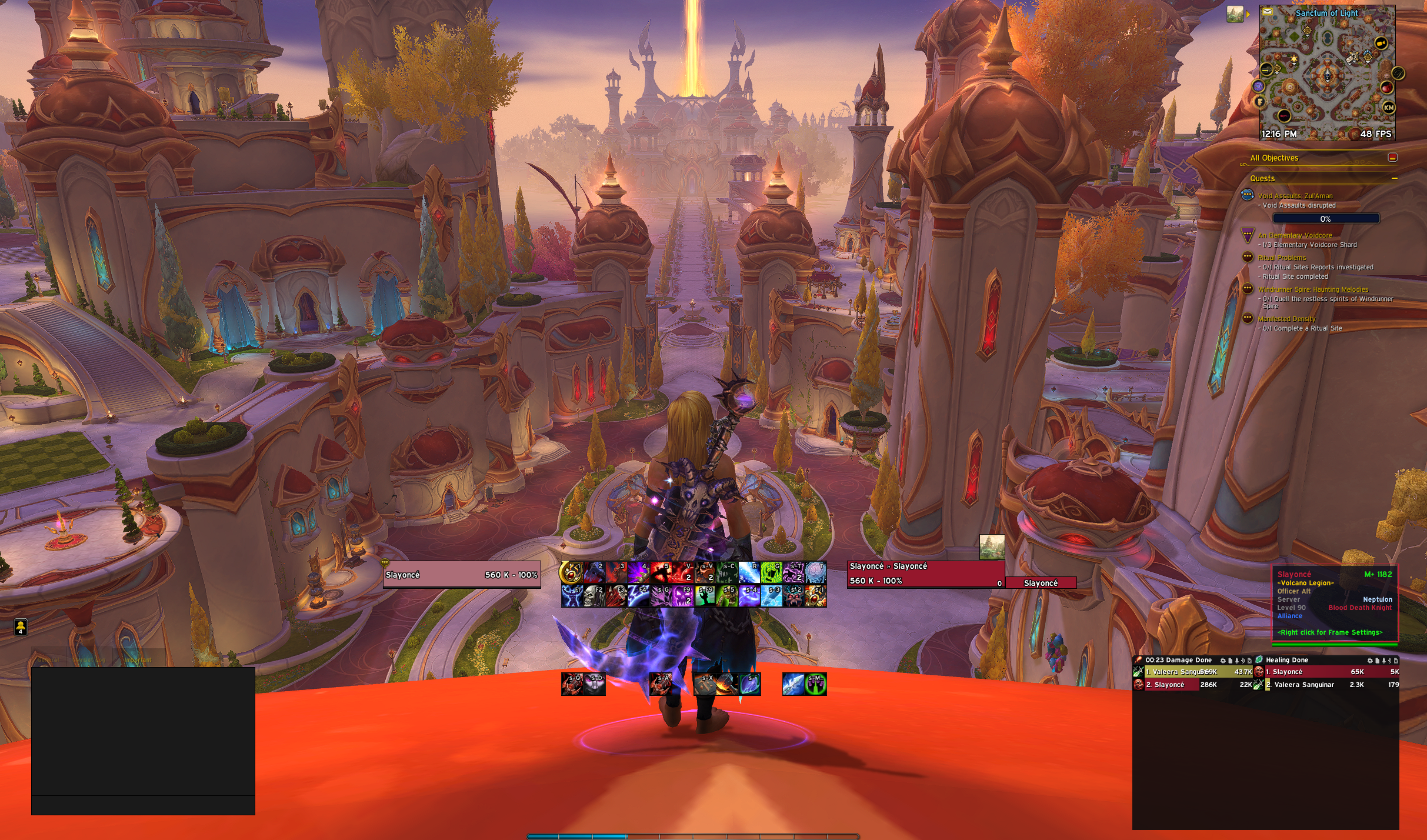
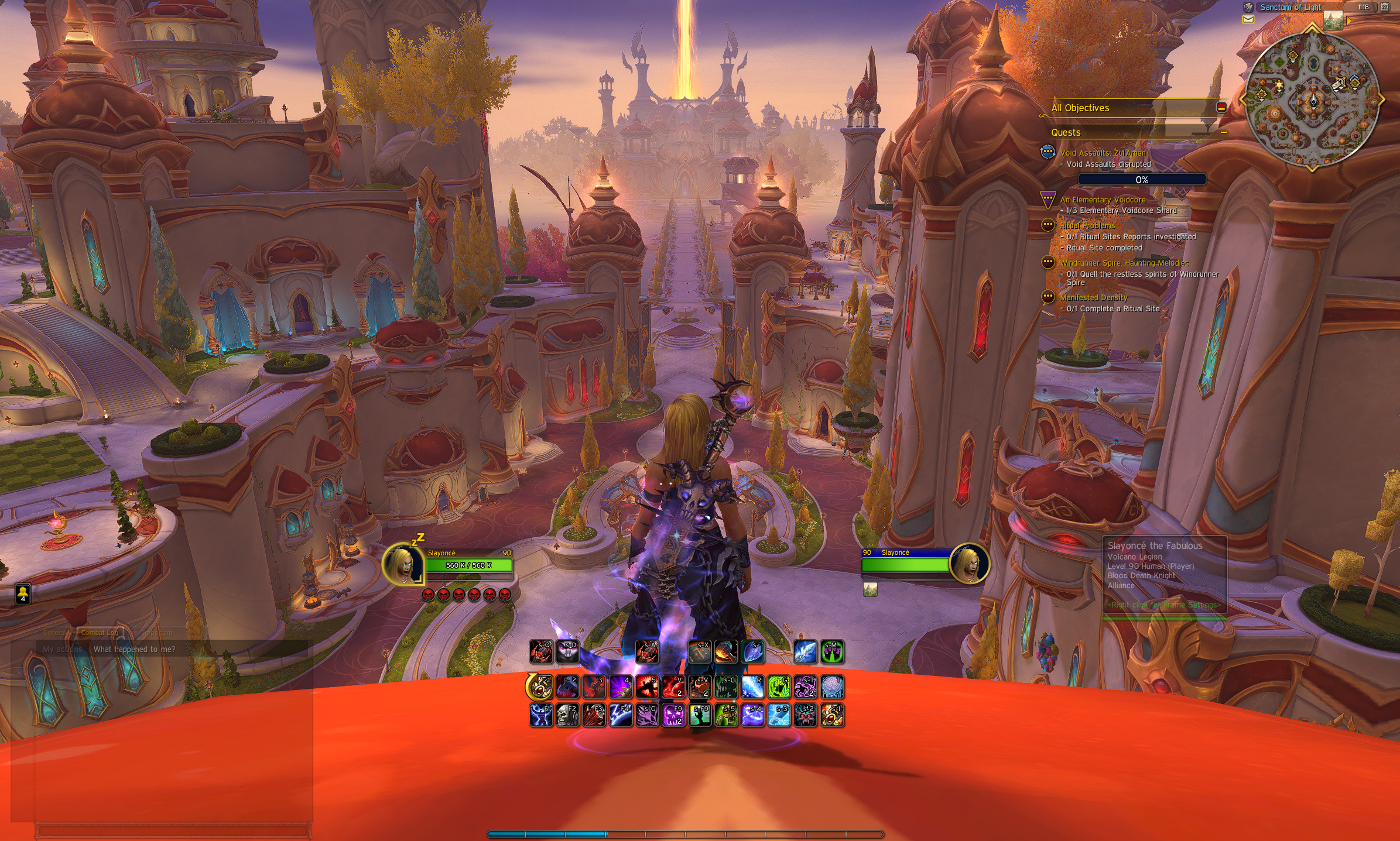
Clean · Configurable · Performance-first
A lightweight, all-in-one UI overhaul for World of Warcraft. Every module redesigned, every setting configurable.
Drag the handle left or right to compare the default WoW interface with EzroUI.
Every piece of your UI — redesigned, consolidated, and configurable from a single settings panel.
Custom frames for Player, Target, Focus, Party, Raid, and Boss units. Includes power bars, auras, absorb indicators, and Clique click-cast integration.
Individually styled cast bars for Player, Target, Focus, and Boss frames. Full support for Empowered casts and custom positioning.
Automatic detection and styling of Primary and Secondary power resources — mana, energy, rage, runes, and more — for every spec.
Dedicated icon rows for Essential Cooldowns, Utility Cooldowns, and Buff Icons with full layout, sizing, and glow control.
Custom styling for all action bars: configurable border thickness, border color, backdrop color, and pixel-perfect button skinning.
Visual tracking of shield and absorb effects directly on unit frames, keeping you aware of incoming mitigation at a glance.
Pin any spell or item icon to a movable frame for personal tracking. Custom Buff tracking lets you monitor specific auras your way.
Fine-grained icon appearance tweaks — border, glow style, proc highlighting, keybind text, and charge display — applied globally or per-icon.
Restyled consolidated buff and debuff frames. Filter, reorder, and resize aura icons to fit your layout preferences.
Clean minimap restyling with square or round shape options, hidden default buttons, and a data-broker icon panel via LibDBIcon.
Custom chat frame skinning — transparent backgrounds, styled edit box, hidden scrollbar — for a minimal, immersive chat experience.
Enhanced character and inspect frames showing per-slot item level, missing enchants, gems/sockets, and durability — all at a glance.
Automatically sets the optimal UI scale for your screen resolution on first load, or whenever you change display settings.
Full AceDB profile management with import/export (LibDeflate + LibSerialize), dual-spec support, and per-character or shared profiles.
Built-in locale framework. Currently ships with full enUS strings and a ready-to-expand template for additional languages.
Small things that add up. Toggle each improvement individually in the settings panel.
EzroUI has no required dependencies — all libraries are bundled.
.zip archive.
EzroUI folder.
EzroUI folder into your WoW AddOns directory:
World of Warcraft\_retail_\Interface\AddOns\
/ezroui to open the configuration panel and customise every module to your liking.
All commands are typed into the in-game chat box.
| Command | Description |
|---|---|
/ezroui |
Open the EzroUI settings panel |
/ezroui nudge |
Toggle frame nudge mode for pixel-perfect repositioning |
/reload |
Reload the UI after making changes that require it |